
Este guia explica a função BLF List para telefones Fanvil SIP e fornece configuração passo a passo no servidor BroadWorks e na interface do usuário da Web do telefone.
Este documento descreve a função BLF List dos telefones SIP e como usá-la configurando o BroadWorks e o telefone. Todos os modelos de telefone, incluindo BX3S, BX4, BX5S, BX6, BX7, BX7C, GP210, GP210i, série BXU, BC600, BD900, suportam esta função com o mesmo método de configuração.
BLF (Busy Lamp Field / Campo de Lâmpada Ocupada) obtém o status de chamada de um ramal por meio de assinatura. Ao configurar um número BLF em uma tecla DSS, o indicador LED muda quando o status do ramal monitorado varia. Uma tecla BLF monitora apenas um ramal. BLF List permite monitorar vários ramais de uma só vez. O usuário configura uma lista de números monitorados no servidor PBX, e o telefone os mapeia automaticamente para as teclas DSS. Os indicadores LED são atualizados quando o status de qualquer ramal monitorado muda. BLF List é uma função de assinatura em grupo para monitoramento em lote. A função BLF List requer cooperação entre o telefone SIP e o servidor PBX. PBX compatíveis verificados: BroadSoft BroadWorks, Fortinet FortiVoice, VoipSwitch. Outros PBXs que suportam BLF List também podem funcionar. Este guia usa o BroadWorks como exemplo.
1. Faça login na interface de configuração web do BroadWorks.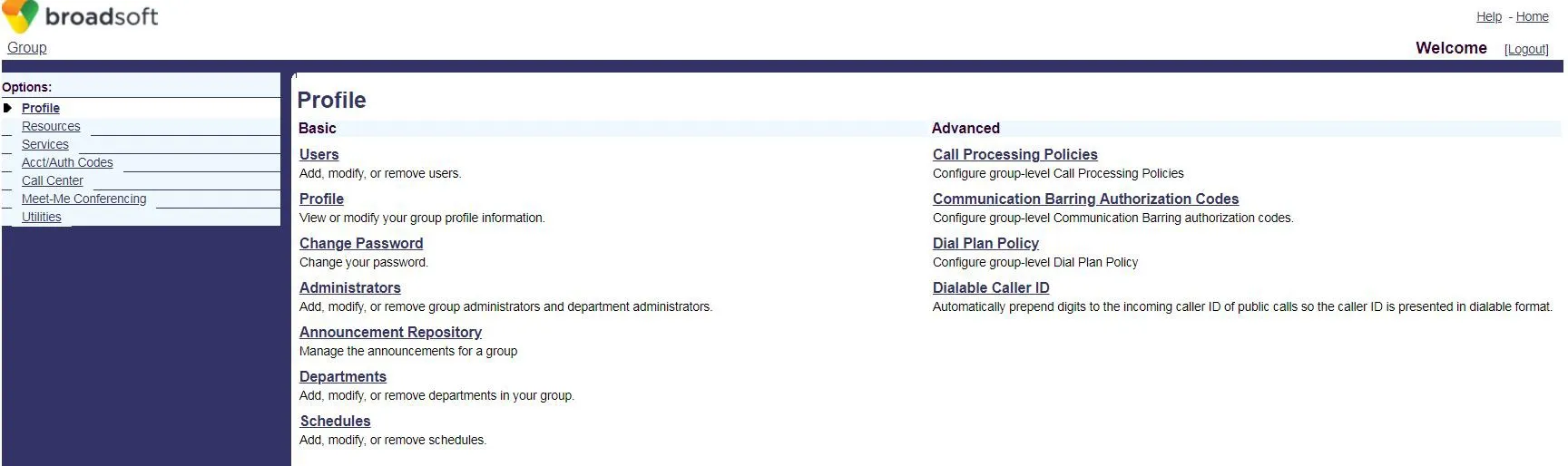 2. Clique em Users para acessar a página de seleção de conta BroadSoft.
 3. Se houver contas, clique em Search para exibir a lista. Selecione uma conta (ex: FanvilUser1) e vá para a Etapa 5.
Se não houver contas, clique em Add para criar uma nova (Etapa 4).
3. Se houver contas, clique em Search para exibir a lista. Selecione uma conta (ex: FanvilUser1) e vá para a Etapa 5.
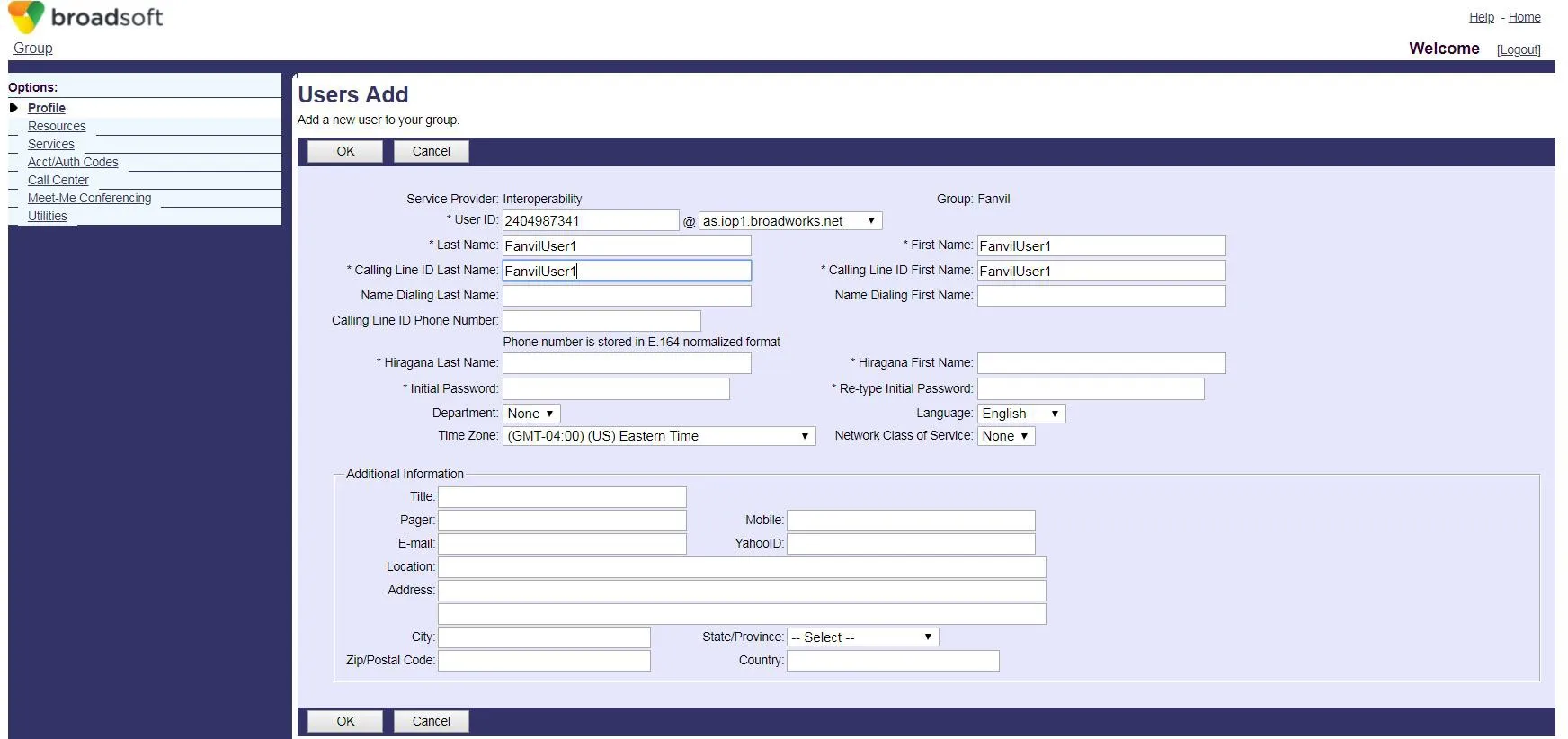
Se não houver contas, clique em Add para criar uma nova (Etapa 4).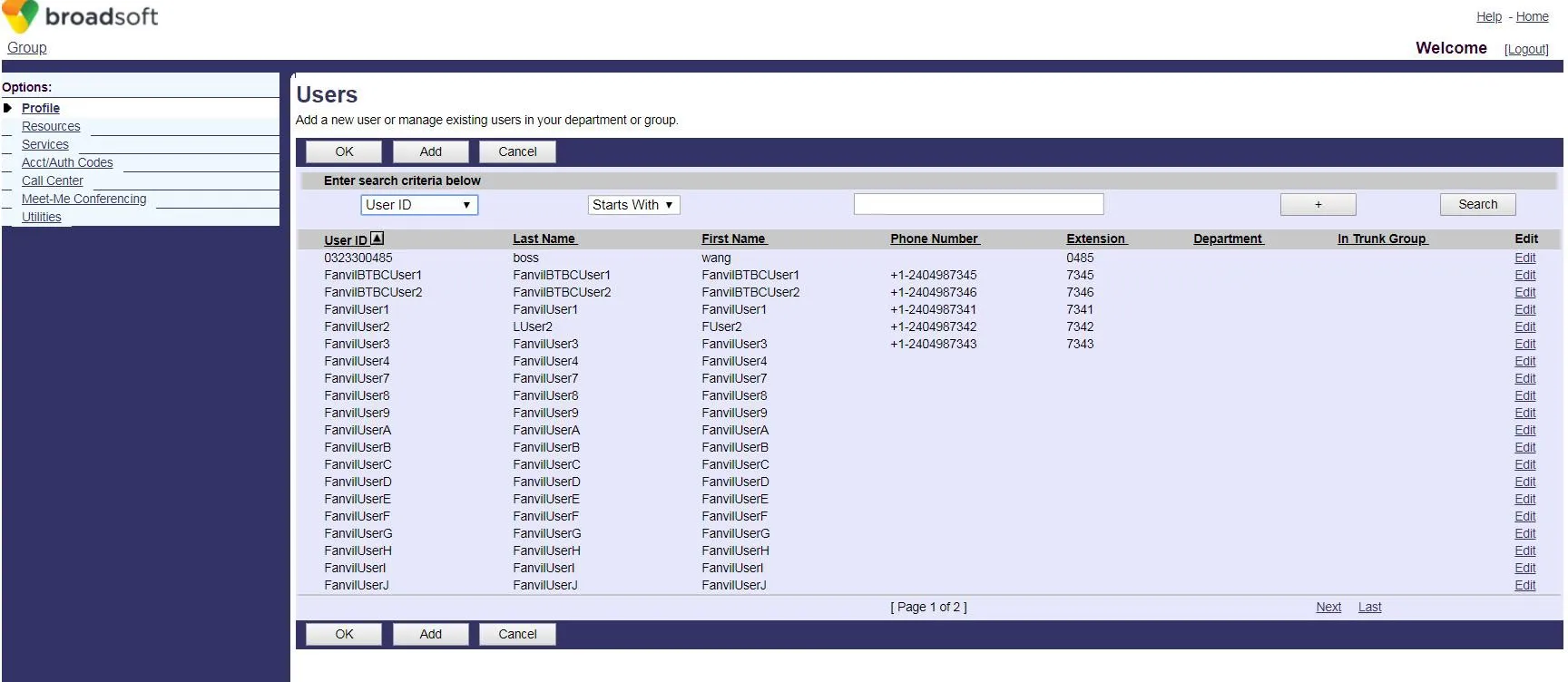 4. Crie uma nova conta BroadWorks.
 5. Acesse a página de configuração da conta selecionada (FanvilUser1).
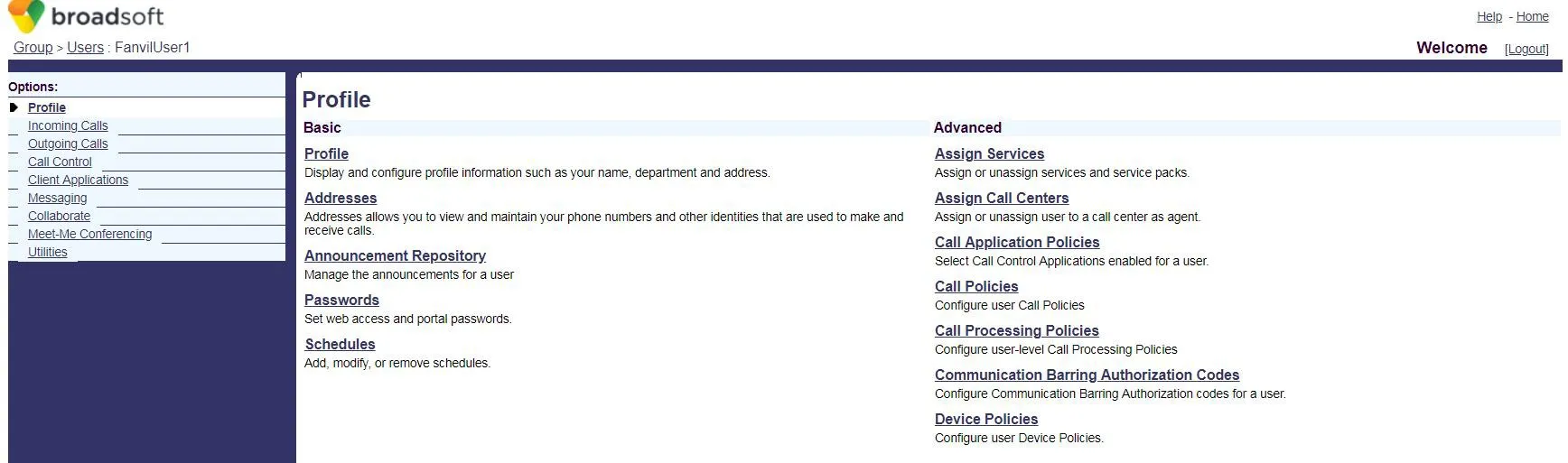 6. Clique em Client Applications.
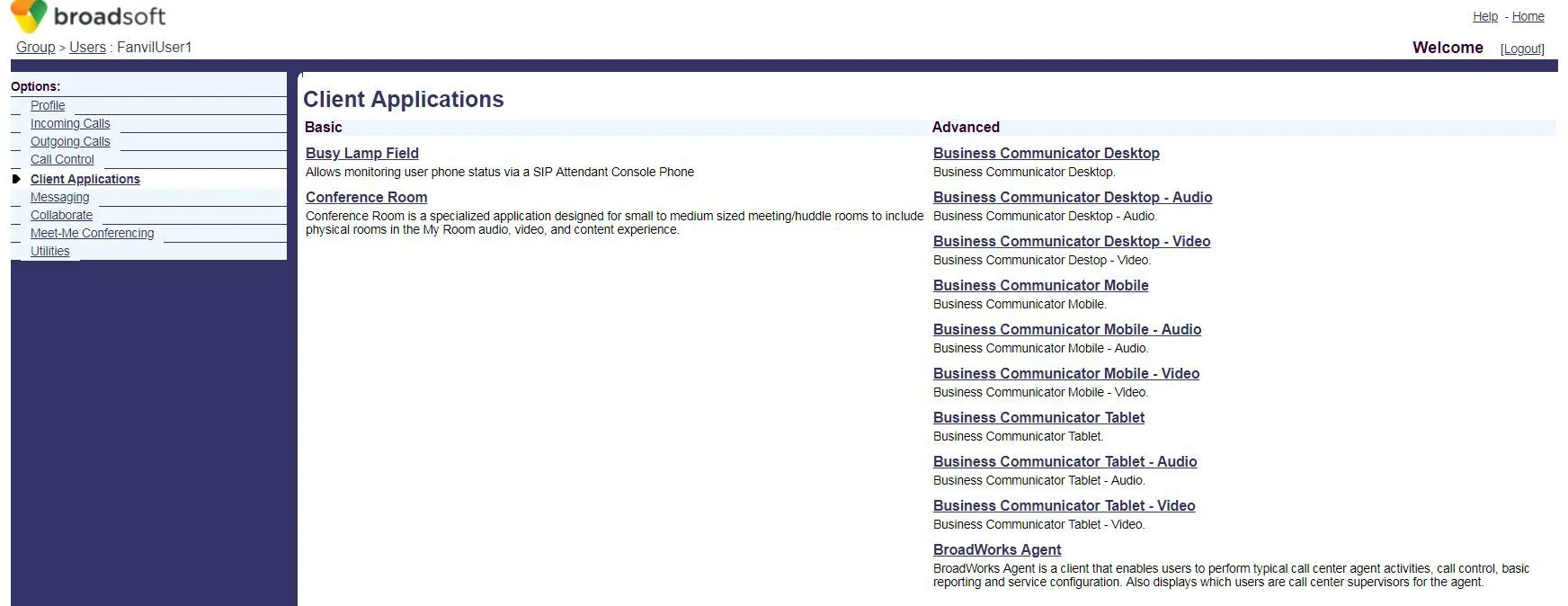 7. Clique em Busy Lamp Field para abrir a página de configuração do BLF List.
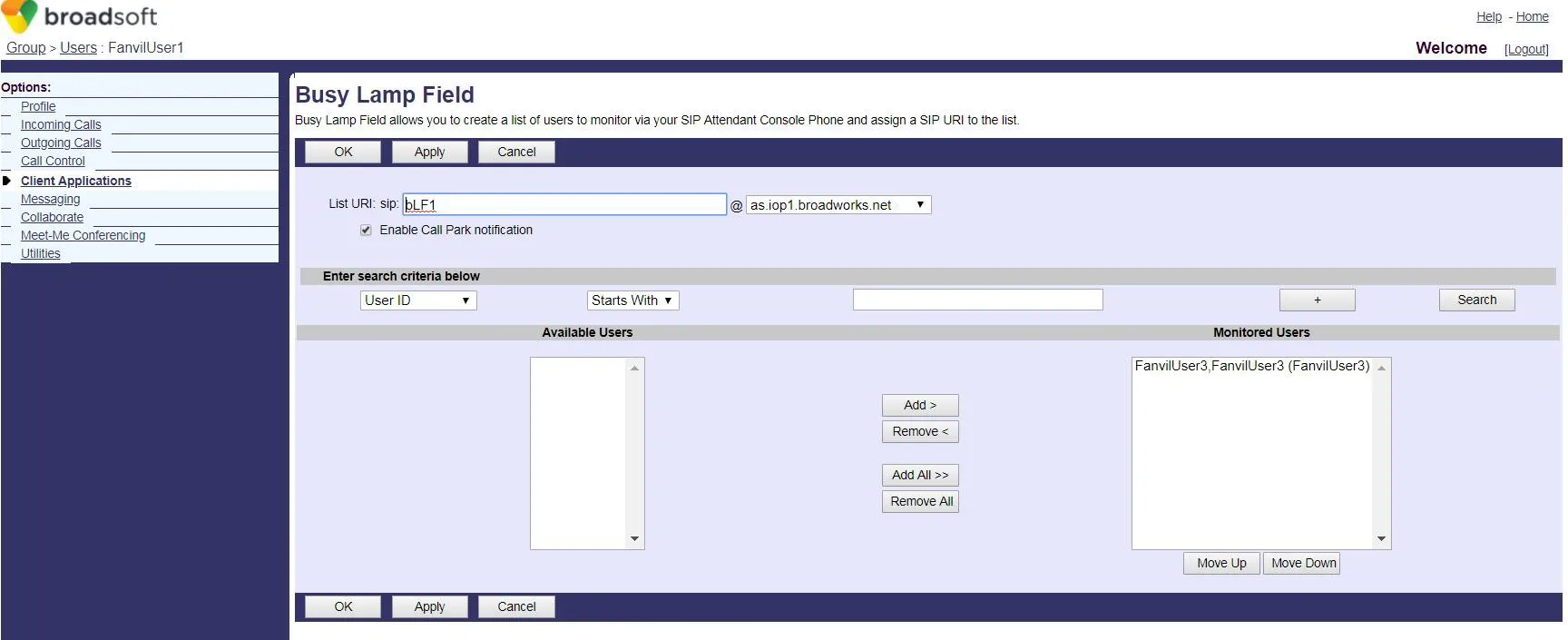 8. Insira um List URI (ex: blf1). Este valor deve corresponder ao Número BLF List no telefone.
Clique em Search para exibir os ramais disponíveis.
Mova os ramais desejados para a lista de monitoramento, depois clique em OK para salvar.
8. Insira um List URI (ex: blf1). Este valor deve corresponder ao Número BLF List no telefone.
Clique em Search para exibir os ramais disponíveis.
Mova os ramais desejados para a lista de monitoramento, depois clique em OK para salvar.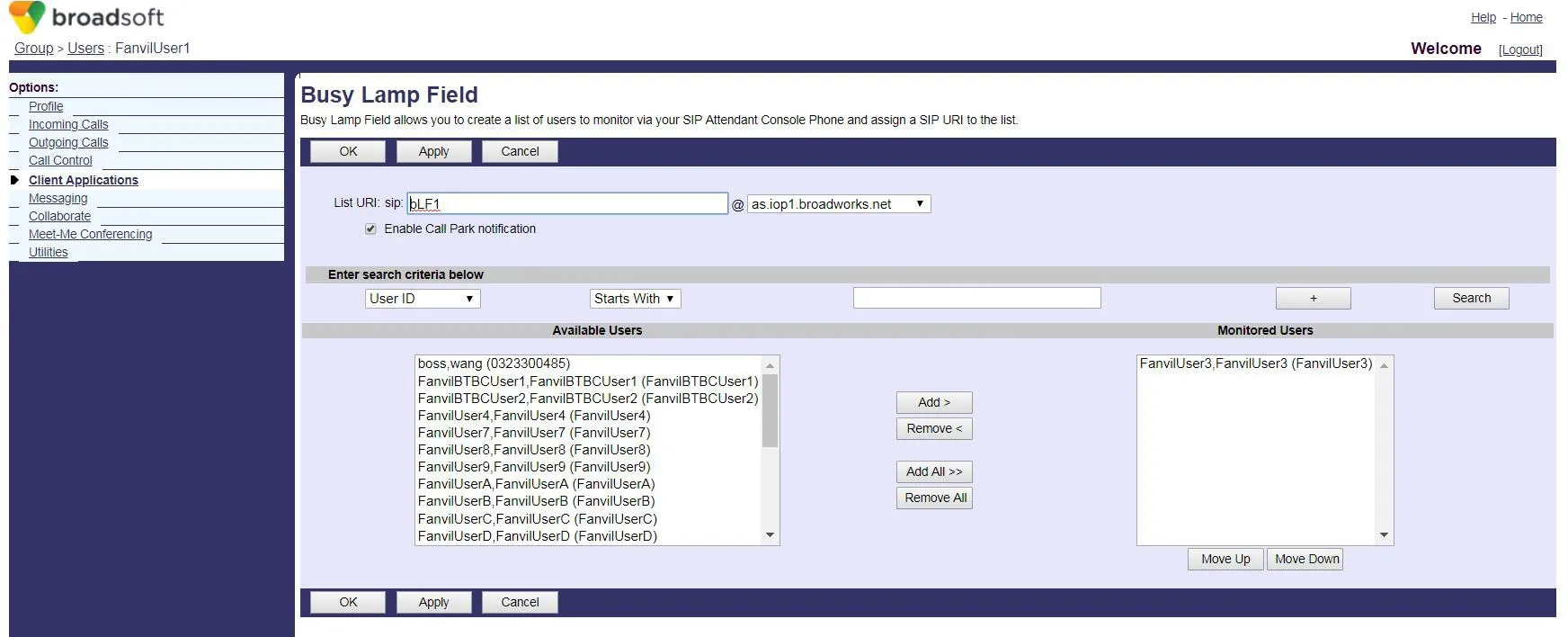 9. Faça login na interface web do telefone (nome de usuário/senha padrão: admin).
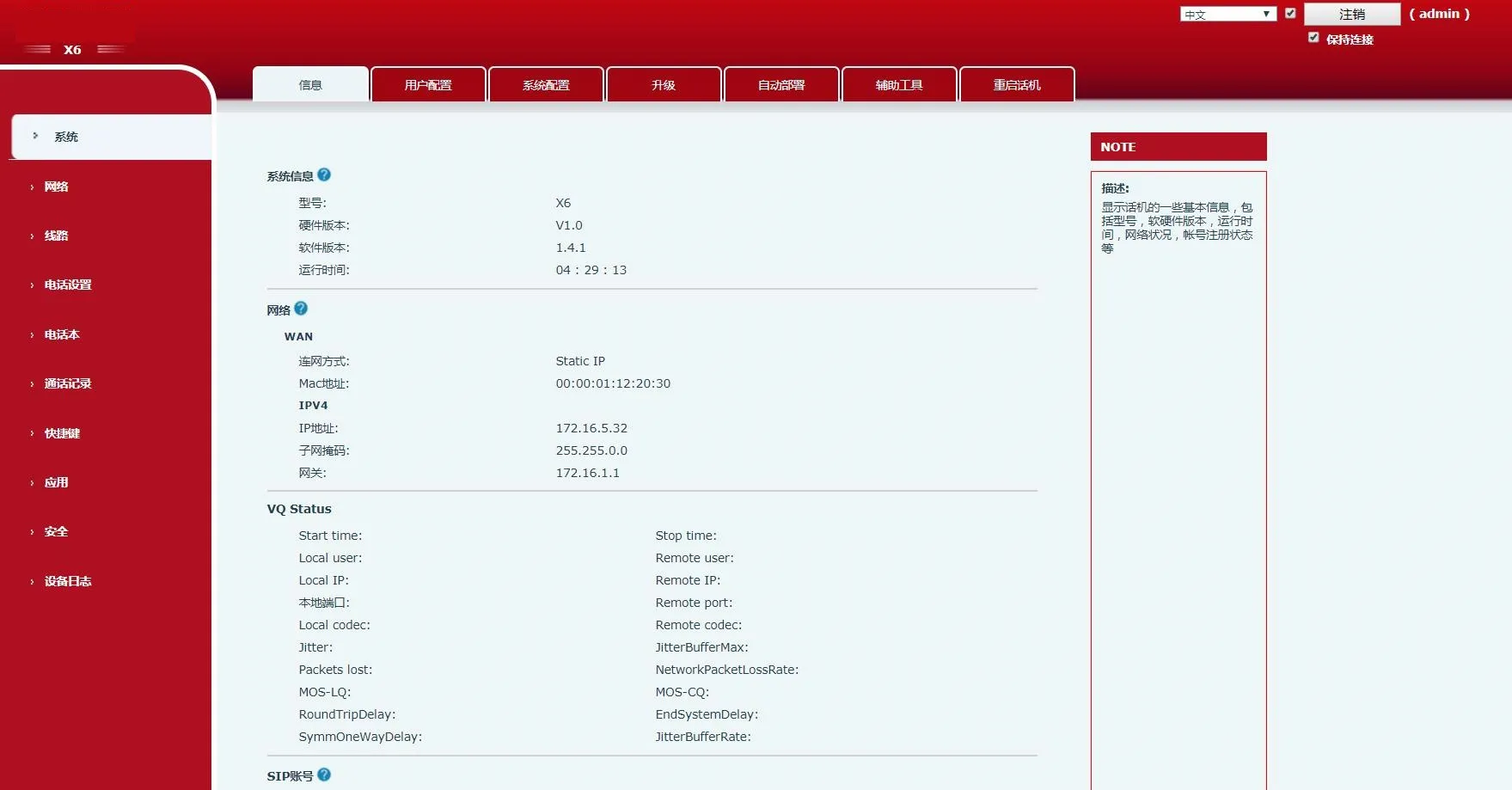 10. Vá para Shortcuts no menu esquerdo.
Defina o Tipo da Tecla DSS como BLF List. Cada tecla mapeia um número monitorado.
Se a lista tiver mais ramais do que teclas BLF List, o telefone os atribuirá às teclas DSS com Tipo Nenhum.
Clique em Apply para salvar.
10. Vá para Shortcuts no menu esquerdo.
Defina o Tipo da Tecla DSS como BLF List. Cada tecla mapeia um número monitorado.
Se a lista tiver mais ramais do que teclas BLF List, o telefone os atribuirá às teclas DSS com Tipo Nenhum.
Clique em Apply para salvar.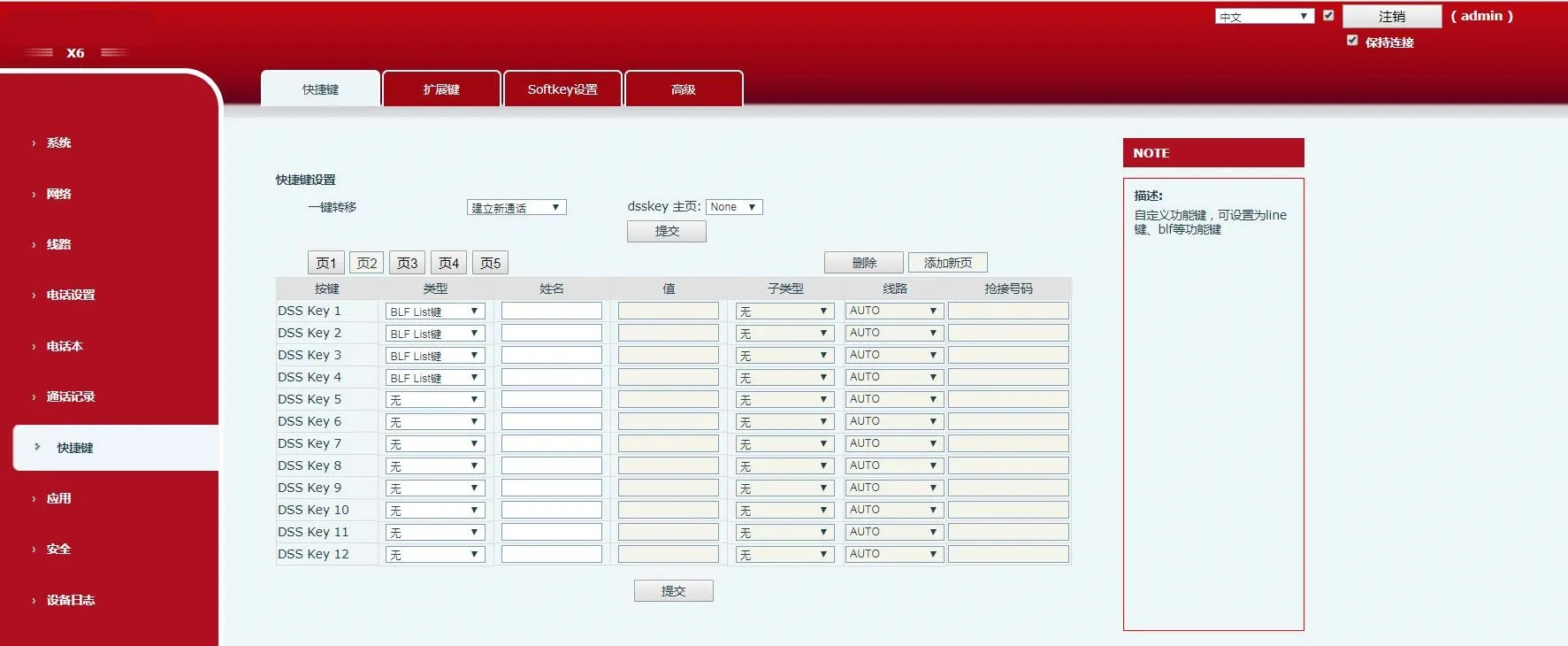 11. Vá para Line no menu esquerdo.
Configure a conta BroadWorks (FanvilUser1) na linha correspondente do telefone.
11. Vá para Line no menu esquerdo.
Configure a conta BroadWorks (FanvilUser1) na linha correspondente do telefone.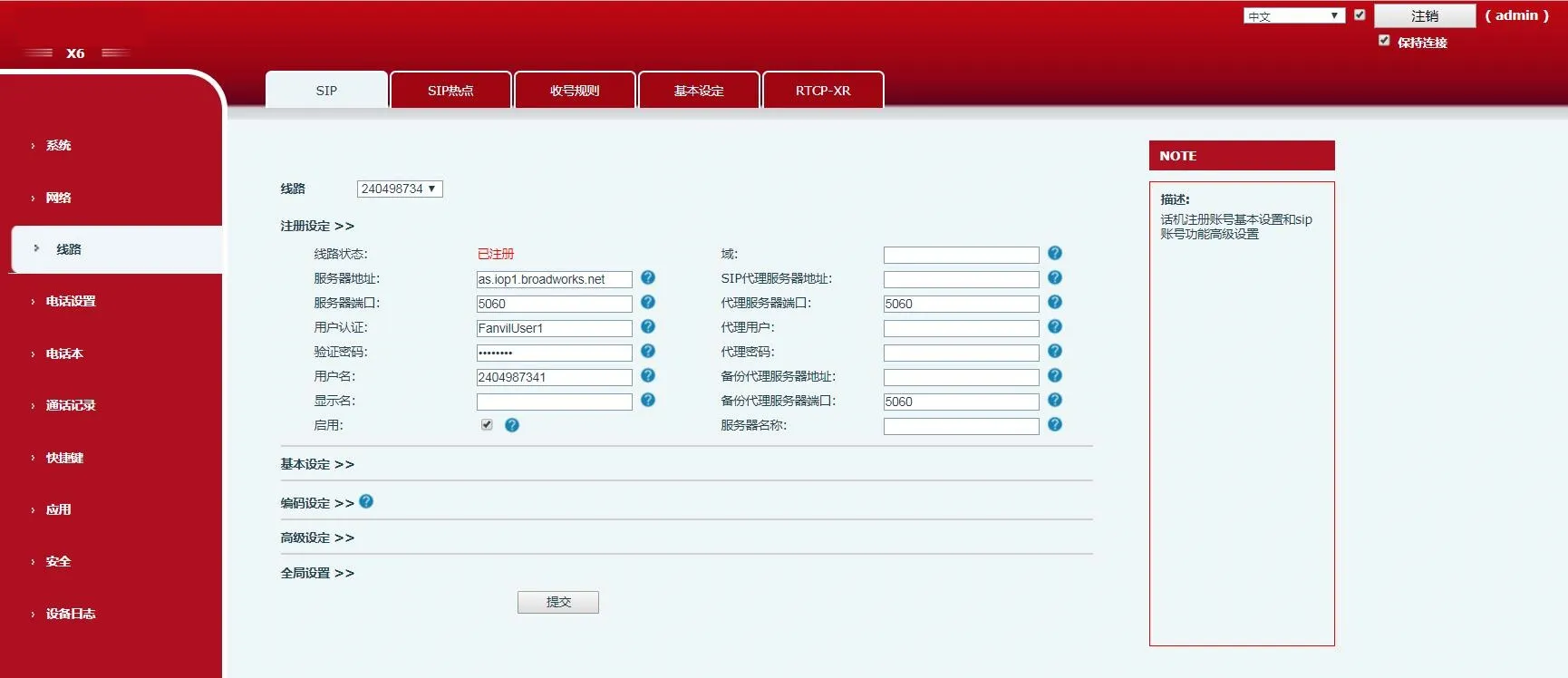 12. Vá para Advanced Settings → Configurações Avançadas de SIP.Habilite o BLF List e insira o Número BLF List (igual ao List URI da Etapa 8).
Clique em Submit.
Certifique-se de que a conta FanvilUser1 seja registrada com sucesso. O BLF List agora está configurado.
12. Vá para Advanced Settings → Configurações Avançadas de SIP.Habilite o BLF List e insira o Número BLF List (igual ao List URI da Etapa 8).
Clique em Submit.
Certifique-se de que a conta FanvilUser1 seja registrada com sucesso. O BLF List agora está configurado.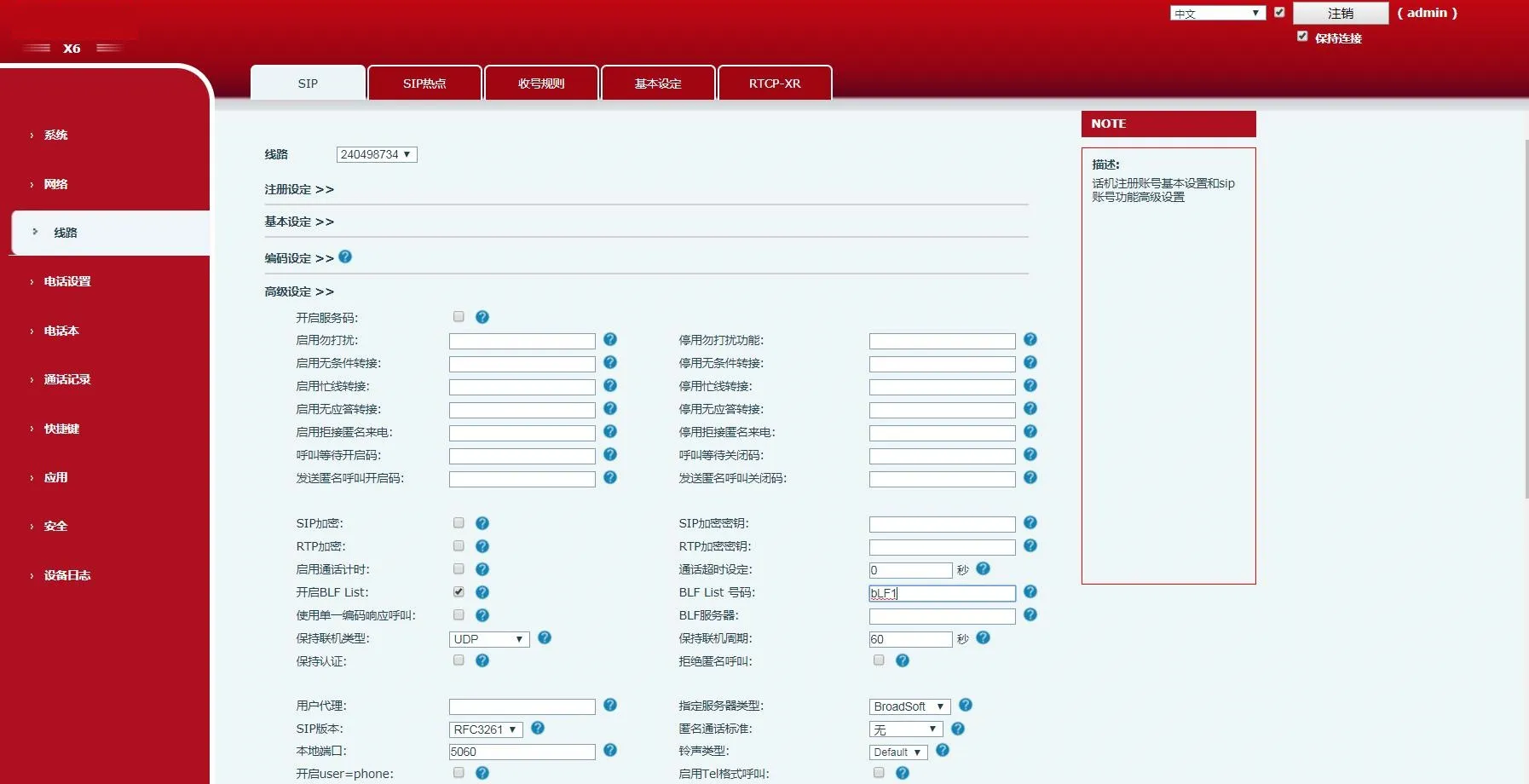 13. Verifique os LEDs das teclas DSS no telefone.
LED fixo significa configuração bem-sucedida.
Faça uma chamada para o ramal monitorado — o LED correspondente mudará de status.
13. Verifique os LEDs das teclas DSS no telefone.
LED fixo significa configuração bem-sucedida.
Faça uma chamada para o ramal monitorado — o LED correspondente mudará de status.